Your test suite is green. Your staging environment is not.
That gap usually traces back to one decision made early in the project: using an in-memory database for tests when you should have been hitting a real one, or hitting a real one when in-memory would have been faster and sufficient.
Neither choice is wrong by default. The mistake is applying one answer to every situation. This article gives you a decision table so you can pick deliberately.
Why This Decision Actually Matters
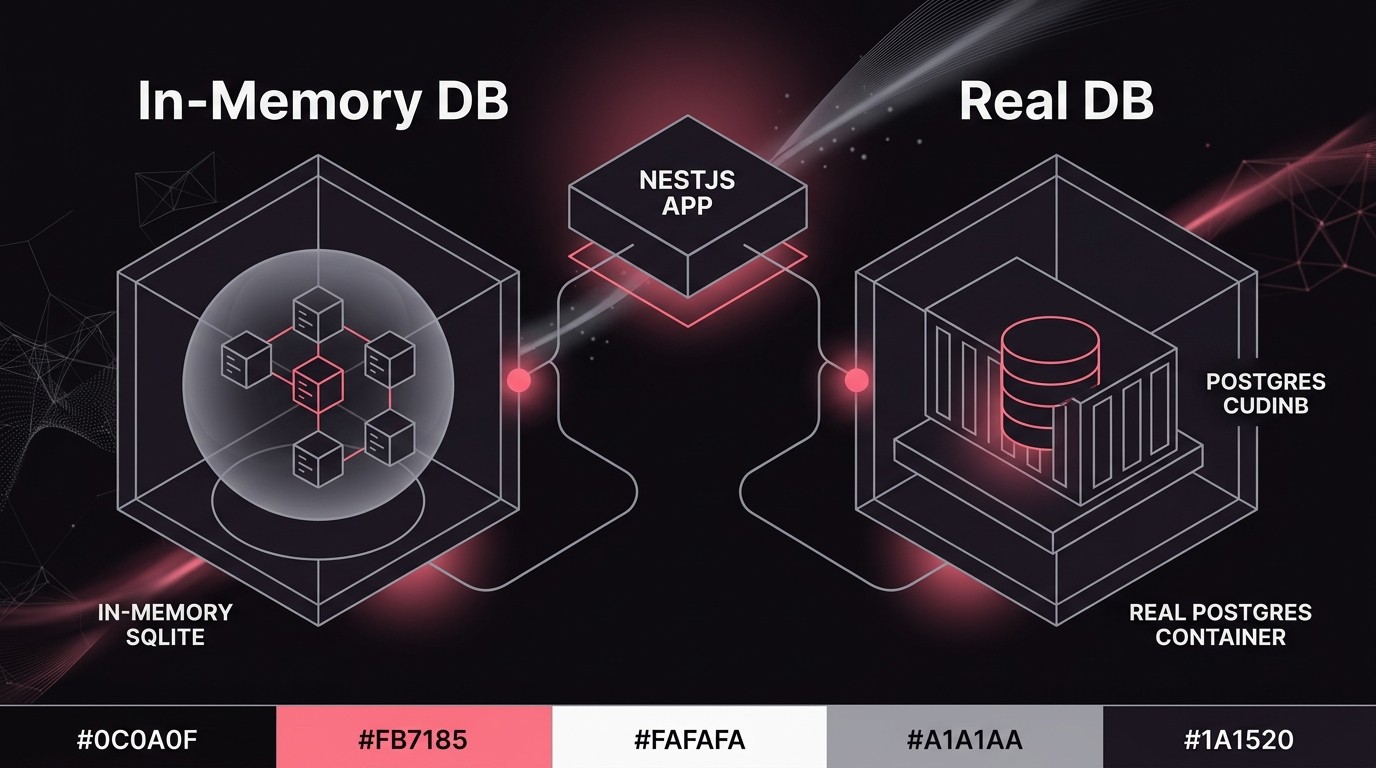
In-memory databases (SQLite in-process, better-sqlite3, testcontainers with H2, or TypeORM's type: 'sqlite' mode) are fast and need no infrastructure. They also silently mask:
- Constraint behavior differences. PostgreSQL enforces deferred foreign keys, partial indexes, and check constraints in ways SQLite ignores entirely.
- Migration drift. Your TypeORM migrations may run clean against SQLite and then fail on Postgres because of column type mismatches (
jsonbvstext,uuiddefault gen,enumtypes). - Query planner assumptions. An ORM query that returns rows in insertion order on SQLite will not guarantee that order on Postgres under load.
- Transaction isolation. Postgres has real MVCC. SQLite's locking model is entirely different. Tests that pass with in-memory will sometimes expose race conditions only on the real DB.
Real databases (Postgres, MySQL, whatever you run in production) catch all of that - at the cost of setup time, teardown time, and CI infrastructure.
The tradeoff is speed vs fidelity. Your job is to match the tool to the risk.
The Decision Table
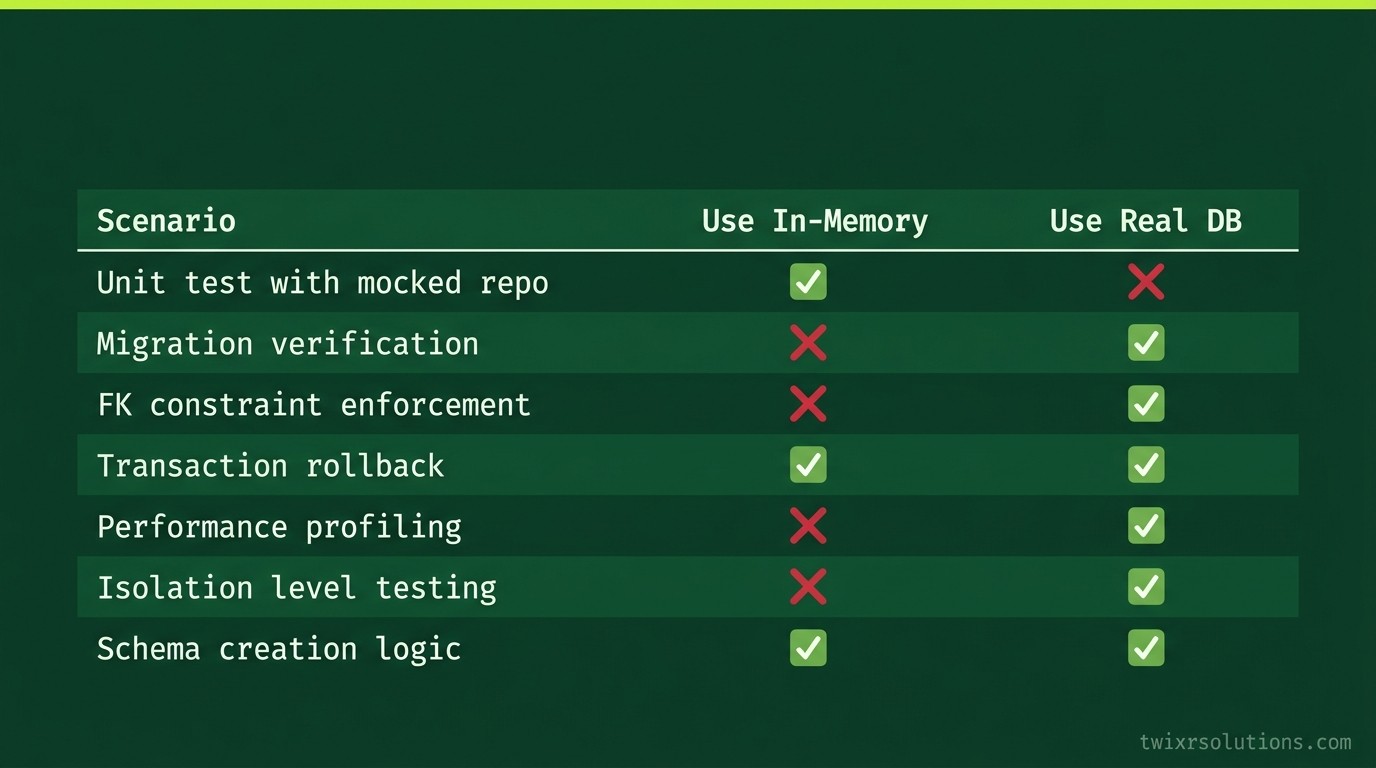
| Scenario | Use In-Memory | Use Real DB |
|---|---|---|
| Unit testing a service method with mocked repo | Yes | No |
| Integration test - simple CRUD with no migrations | Yes, if schema is trivial | Prefer real |
| Integration test - complex joins, window functions | No | Yes |
| Migration verification | No | Yes - always |
| Constraint enforcement (FK, unique, check) | No | Yes |
| Transaction / rollback behavior | No | Yes |
| Full E2E / API test against the real data layer | No | Yes |
| CI pipeline, no Docker, need sub-5s feedback | Yes (with caveats) | Only if testcontainers is available |
| Testing an in-memory cache layer (e.g., ioredis mock) | Yes | No |
| Query performance / explain plan work | No | Yes |
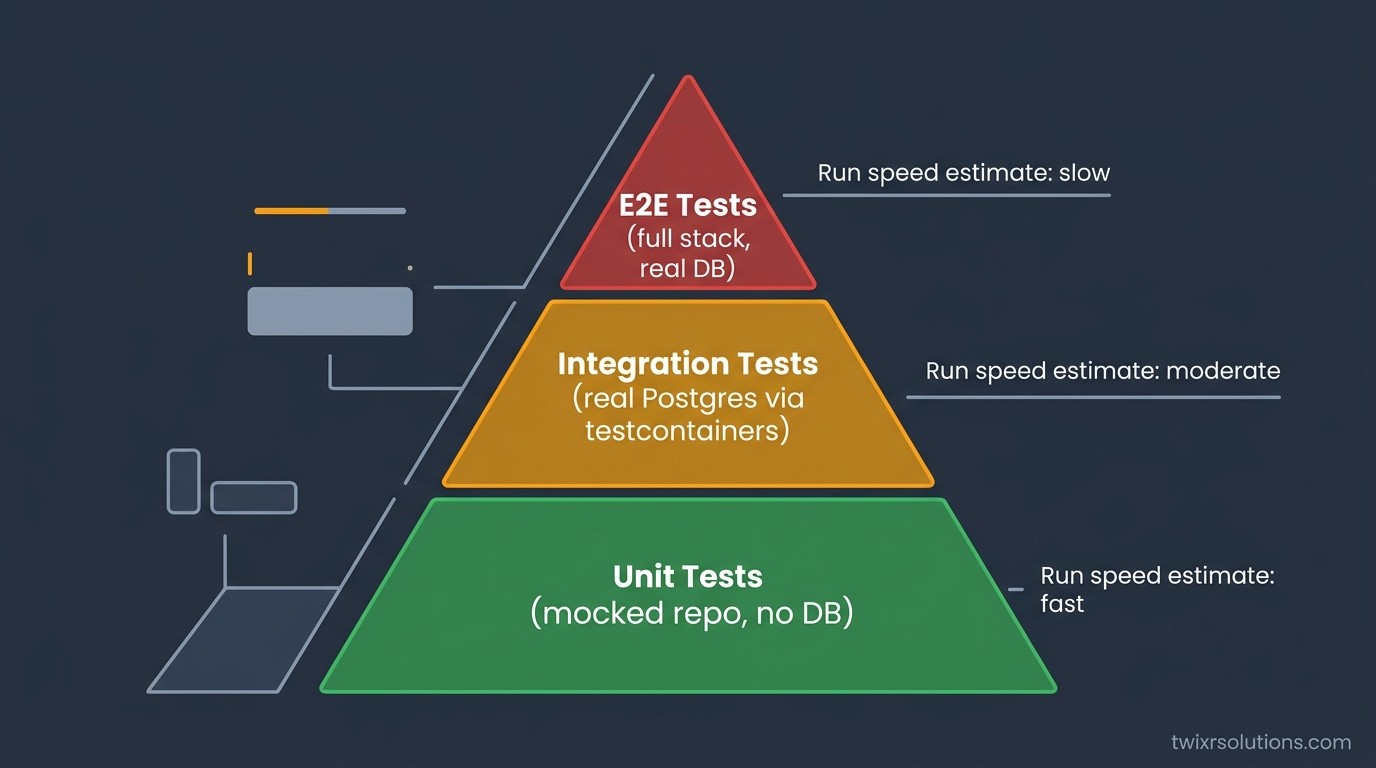
One pattern worth calling out: unit tests with mocked repositories do not need a DB at all. NestJS makes this easy with @nestjs/testing and a custom provider that replaces the TypeORM repository with a plain object. When you find yourself spinning up SQLite just to test a method that calls this.userRepo.findOne(), you are adding friction for zero gain. Mock the repo. Keep the test fast.
The Setup That Actually Works in NestJS
For integration and E2E tests that need real fidelity, the cleanest approach is:
1. One test database per CI job. Not per test file, not per test case. One database, created at the start of the job, destroyed at the end. Use TypeORM's synchronize: true only in test environments. Never in staging or production.
2. Reset state with transactions, not DELETE FROM.
Wrap each test in a transaction and roll it back after. TypeORM with a DataSource makes this straightforward:
beforeEach(async () => {
  queryRunner = dataSource.createQueryRunner();
  await queryRunner.startTransaction();
});

afterEach(async () => {
  await queryRunner.rollbackTransaction();
  await queryRunner.release();
});
This is faster than truncating tables and avoids sequence drift (though sequence values will still increment - account for that if your tests assert on specific IDs).
3. Use testcontainers when Docker is available.
The testcontainers Node package spins up a real Postgres container per test run. It adds about 3 to 6 seconds of startup time, which is acceptable for integration suites that run once per PR. The fidelity gain is worth it.
4. SQLite is fine for pure unit / domain logic tests.
If you are testing a service that does calculations, maps DTOs, or calls an external API (mocked), SQLite or no DB at all is the right call. Keep those tests in a separate *.spec.ts naming convention from your integration tests so you can run them independently.
// unit.spec.ts - no DB, no HTTP, no filesystem
// integration.spec.ts - real Postgres via testcontainers or a local instance
Split the Jest configs to match.
The Pitfalls Engineers Hit in Practice
Pitfall 1: Assuming your migration history is clean.
SQLite will happily run a migration that uses text where you meant jsonb. Postgres will not. Run your full migration history against a real Postgres instance as part of CI. One step, no shortcuts.
Pitfall 2: Letting synchronize: true drift from migrations.
In test environments, many teams use synchronize: true to avoid running migrations. Then the schema in tests drifts from what the migration history would produce. You ship a migration that looks correct but breaks on the actual migrated schema. Fix: run migrations in your CI integration suite, not synchronize: true.
Pitfall 3: Testing NestJS module wiring with no DB.
If you are testing that your NestJS module bootstraps correctly, providers resolve, and guards apply, you do not need a database. Use Test.createTestingModule() with overrideProvider for the data layer. A surprising number of tests spin up SQLite "just in case" when a module-level test needs no persistence at all.
Pitfall 4: Shared DB state between parallel test workers.
Jest can run test files in parallel. If two integration test files share one database and neither uses transaction rollback properly, you will get flaky tests that are genuinely hard to debug. Either isolate each worker to its own schema (Postgres supports this cleanly), or run integration tests with --runInBand and accept the serial overhead.
For a related look at how NestJS module internals can surprise you in production, see NestJS Provider Scopes and the Traps That Catch You in Production - provider scope bugs and test environment bugs often surface at the same time.
A Quick Reference: Which Jest Config for Which Layer
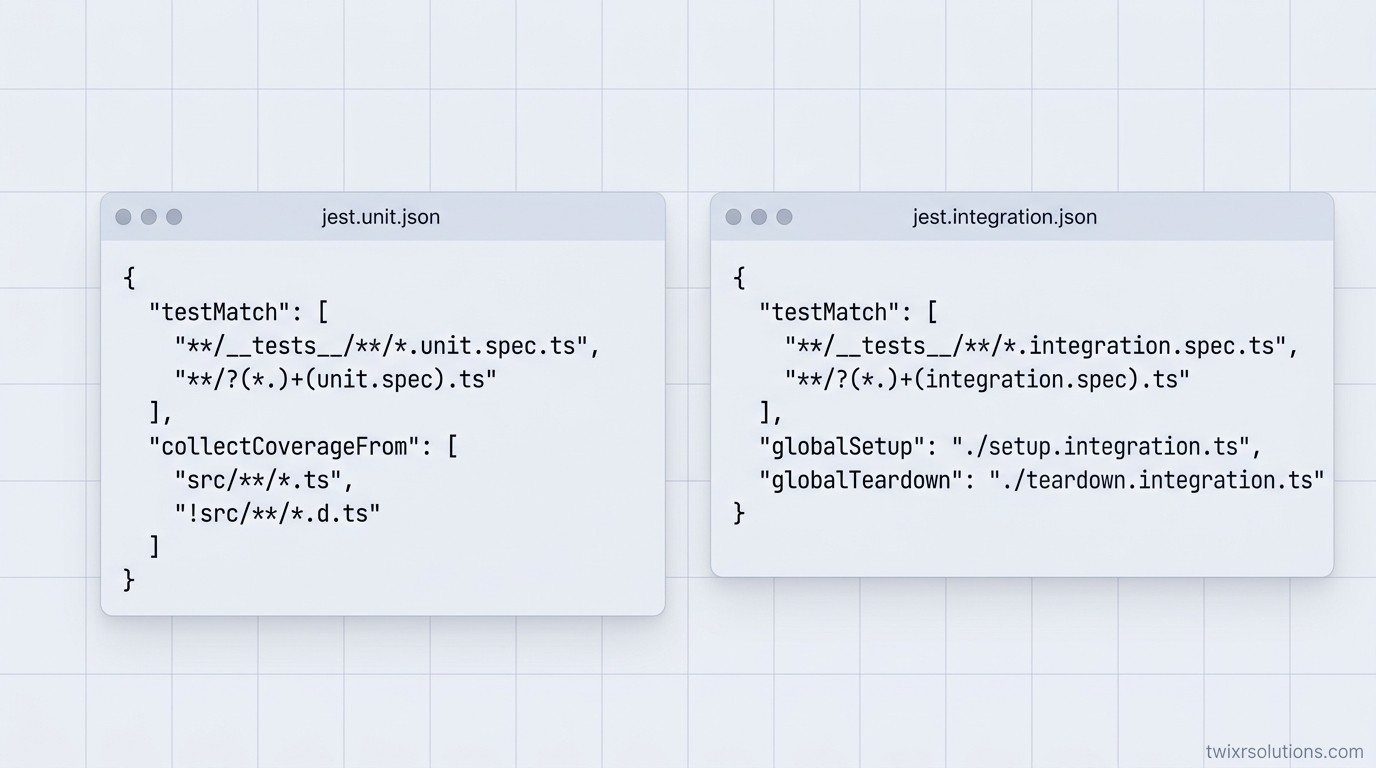
// jest.unit.json
{
  "testMatch": ["**/*.unit.spec.ts"],
  "testEnvironment": "node"
}

// jest.integration.json
{
  "testMatch": ["**/*.integration.spec.ts"],
  "testEnvironment": "node",
  "globalSetup": "./test/global-setup.ts",
  "globalTeardown": "./test/global-teardown.ts"
}
global-setup.ts starts the testcontainers Postgres instance and writes the connection string to process.env.DATABASE_URL. global-teardown.ts stops it. Every integration test file reads that env var. Simple, reproducible, no port conflicts.
The Short Version
- Mock the repo for unit tests. No DB needed.
- Use real Postgres for anything that touches migrations, constraints, or transactions.
- Use SQLite only when you know the query surface is too simple to diverge.
- Split your Jest configs. One for unit, one for integration.
- Wrap integration tests in transactions. Roll back, do not truncate.
- Run your migration history in CI against real Postgres. Every time.
If you are building on NestJS and want a look at how versioning and feature flags affect the testing surface, Laravel 12, NestJS 10, React 19: The One Feature Worth Caring About in Each covers the NestJS 10 changes worth tracking.
The decision is not "fast or correct." It is "which layer needs which guarantee." Get that mapping right once and your test suite pays for itself every sprint.
Frequently asked questions
For pure unit tests with mocked repositories, yes. For integration tests that touch migrations, constraints, transactions, or jsonb columns, no. SQLite's type system and locking model diverge enough from Postgres that bugs will reach production undetected. Use testcontainers for integration tests and accept the extra startup time.
Wrap each test in a TypeORM QueryRunner transaction and roll it back in afterEach. This is faster than truncating tables and avoids the need to reseed data. The one caveat: auto-increment sequences still advance, so do not assert on specific generated IDs.
Run migrations. synchronize: true will drift from your real migration history over time, which means your tests pass against a schema that does not match what actually deploys. Running the full migration chain in CI catches that drift before it hits production.
Either give each Jest worker its own Postgres schema (Postgres supports this - create a schema per worker in globalSetup and set the search_path in the connection string), or use --runInBand to run integration tests serially. Parallel workers sharing one schema without proper isolation are the most common source of intermittent test failures.
No. Use Test.createTestingModule() and override the TypeORM repository providers with plain objects or jest.fn() stubs. Module bootstrapping tests verify that providers resolve and dependencies inject correctly - they do not need a live data layer to do that.
Enjoyed this article?
Get notified when I publish new posts on SaaS, Laravel, and remote engineering.