
You have two options when Postgres starts slowing down: you check the numbers before a customer notices, or you check them after.
This post covers one narrow thing - how to read the system catalog to decide whether vacuum has kept up and whether bloat has become a maintenance problem. It does not cover autovacuum tuning, partitioning strategy, or replication lag. Those are real topics; they belong in their own post.
What Does "Bloat" Actually Mean in Postgres?
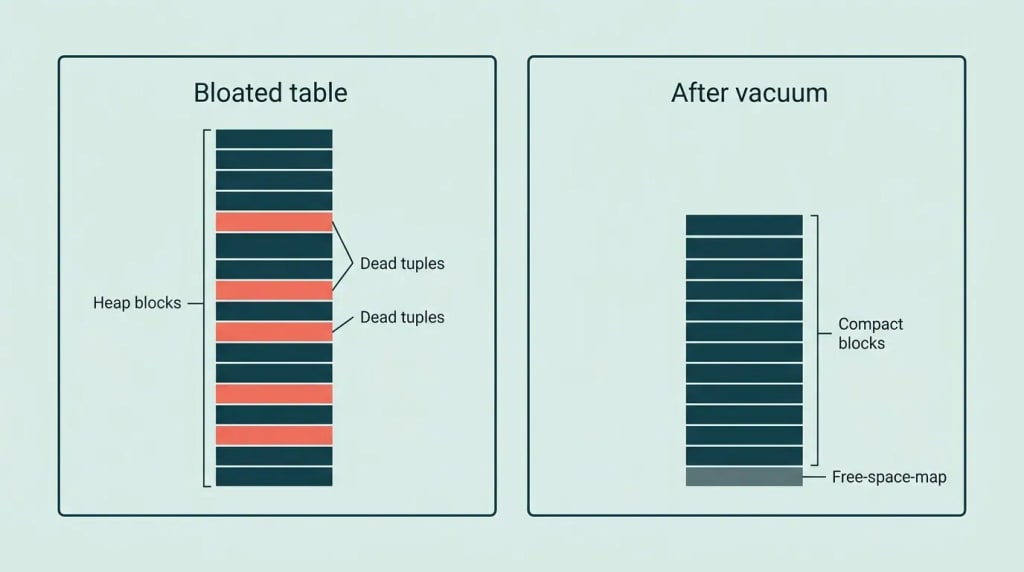
Every UPDATE or DELETE in Postgres leaves dead tuples on disk. The row is not overwritten in place. The old version stays in the heap until vacuum comes along and marks that space reusable. Until then, the table grows on disk even if your row count holds steady.
This is the MVCC trade-off. It gives you consistent reads across concurrent transactions without locking. The cost is that garbage accumulates between vacuum passes.
Bloat, precisely: the ratio of dead or invisible tuples to live ones, measured by wasted bytes on disk versus bytes that carry real data. A table can report 200,000 rows and hold 600 MB on disk when a clean equivalent would hold 180 MB.
One detail that surprises junior engineers: a table with very few updates can still bloat heavily if rows are frequently deleted and re-inserted in bursts - the tuple churn pattern matters more than row count alone.

Which Numbers Actually Tell You Something?
Postgres ships two views that matter here: pg_stat_user_tables and pg_class. Combining them gives you a working signal.
Dead tuple ratio - the most direct signal:
SELECT
  relname                          AS table_name,
  n_live_tup,
  n_dead_tup,
  ROUND(
    n_dead_tup::numeric
    / NULLIF(n_live_tup + n_dead_tup, 0) * 100, 2
  )                                AS dead_pct,
  last_autovacuum,
  last_vacuum
FROM pg_stat_user_tables
WHERE n_live_tup + n_dead_tup > 0
ORDER BY dead_pct DESC
LIMIT 20;
A dead tuple ratio above roughly 10-20 percent on a large, actively queried table is worth paying attention to. The ratio alone is not a verdict - you need to check when vacuum last ran and whether the table is growing.
Estimated bloat bytes via pg_class:
SELECT
  relname                                AS table_name,
  pg_size_pretty(pg_total_relation_size(oid)) AS total_size,
  pg_size_pretty(pg_relation_size(oid))       AS heap_size,
  relpages,
  reltuples::bigint                      AS estimated_rows
FROM pg_class
WHERE relkind = 'r'
  AND relnamespace = 'public'::regnamespace
ORDER BY pg_total_relation_size(oid) DESC
LIMIT 20;
relpages is updated by vacuum and ANALYZE, not in real time. If relpages * 8192 is significantly larger than what a fresh pg_dump and restore would produce, the difference is largely bloat plus free space map. This is a rough estimate, not a precise byte count - Postgres does not expose a single authoritative bloat figure without extensions like pgstattuple.
Last vacuum and autovacuum timestamps are in pg_stat_user_tables as last_vacuum, last_autovacuum, last_analyze, and last_autoanalyze. If last_autovacuum on a high-churn table is more than a few hours old, autovacuum is likely falling behind - either because the table's autovacuum_vacuum_scale_factor threshold has not been crossed yet, or because autovacuum workers are busy elsewhere.
The Counter-Argument: Maybe Autovacuum Is Handling It
This is a fair position. Default Postgres autovacuum settings are more aggressive than they used to be, and for many workloads on small-to-medium tables, autovacuum keeps up without intervention.
The argument runs like this: if you have not changed the default autovacuum_vacuum_scale_factor (0.2) or autovacuum_vacuum_threshold (50), autovacuum triggers once dead tuples exceed 20 percent of live rows plus 50 - which is exactly the threshold you would set manually. So checking manually is redundant.
We take that seriously. It holds for workloads where tables stay under a few million rows and write volume is moderate. Autovacuum is not unreliable; it just has a well-known failure mode - large tables with heavy churn where 20 percent of live tuples is a very large absolute number of dead tuples. On a 50-million-row orders table, autovacuum will not trigger until there are 10 million dead tuples plus 50. By that point, sequential scans and index-only scans have been degraded for a while.
The other failure mode is autovacuum cost throttling. By default, autovacuum pauses between I/O bursts to avoid overwhelming the disk. On cloud instances with slow EBS or a shared storage layer, this throttling can make a vacuum pass take long enough that new dead tuples accumulate faster than the pass clears them - a losing race.
Neither of these is an argument against autovacuum. Both are arguments for watching the numbers rather than assuming.
When the Numbers Say Act
Three conditions together warrant manual VACUUM or a tuning change:
- Dead tuple ratio above 15-20 percent on a table with more than a few hundred thousand rows.
- Last autovacuum timestamp older than a few hours on a table that receives continuous writes.
- Table size on disk is growing even though row count is flat or shrinking.
Any one of these alone is a signal to investigate. All three together mean autovacuum is losing.
For a table that qualifies, a manual VACUUM is safe and non-blocking in almost all cases:
-- Run from psql; watch progress in pg_stat_progress_vacuum
VACUUM (VERBOSE, ANALYZE) public.orders;
VACUUM FULL is a different operation. It rewrites the table, returns space to the OS, and holds an ACCESS EXCLUSIVE lock while doing it. On a live app, that lock will block all reads and writes for the duration. Do not run VACUUM FULL on a busy table without a maintenance window and a clear reason - ordinary VACUUM compacts the free space map and lets Postgres reuse space internally, which is almost always enough.
If the problem is recurring, the right fix is to lower autovacuum_vacuum_scale_factor per table, not to run manual vacuums on a cron schedule:
ALTER TABLE orders
  SET (autovacuum_vacuum_scale_factor = 0.05,
       autovacuum_vacuum_threshold = 500);
This tells autovacuum to trigger once dead tuples exceed 5 percent of live rows (plus 500), rather than 20 percent. On a 10-million-row table, that is 500,000 dead tuples instead of 2 million before autovacuum fires.

The Verdict, and the Conditions Under Which We Would Change It
Check the dead tuple ratio and last autovacuum timestamp on any table that is both large and write-heavy, on a schedule you define - not reactively when queries slow down. The queries above take milliseconds against the catalog and require no extensions. There is no argument for skipping this check.
We would revise this position in one specific case: a table on a very small database, say under 10,000 rows, with predictable low write volume, where autovacuum fires regularly and the ratio stays below 5 percent. At that scale, the overhead of monitoring genuinely outweighs the risk. But that is a small minority of production tables in a SaaS app with paying users.
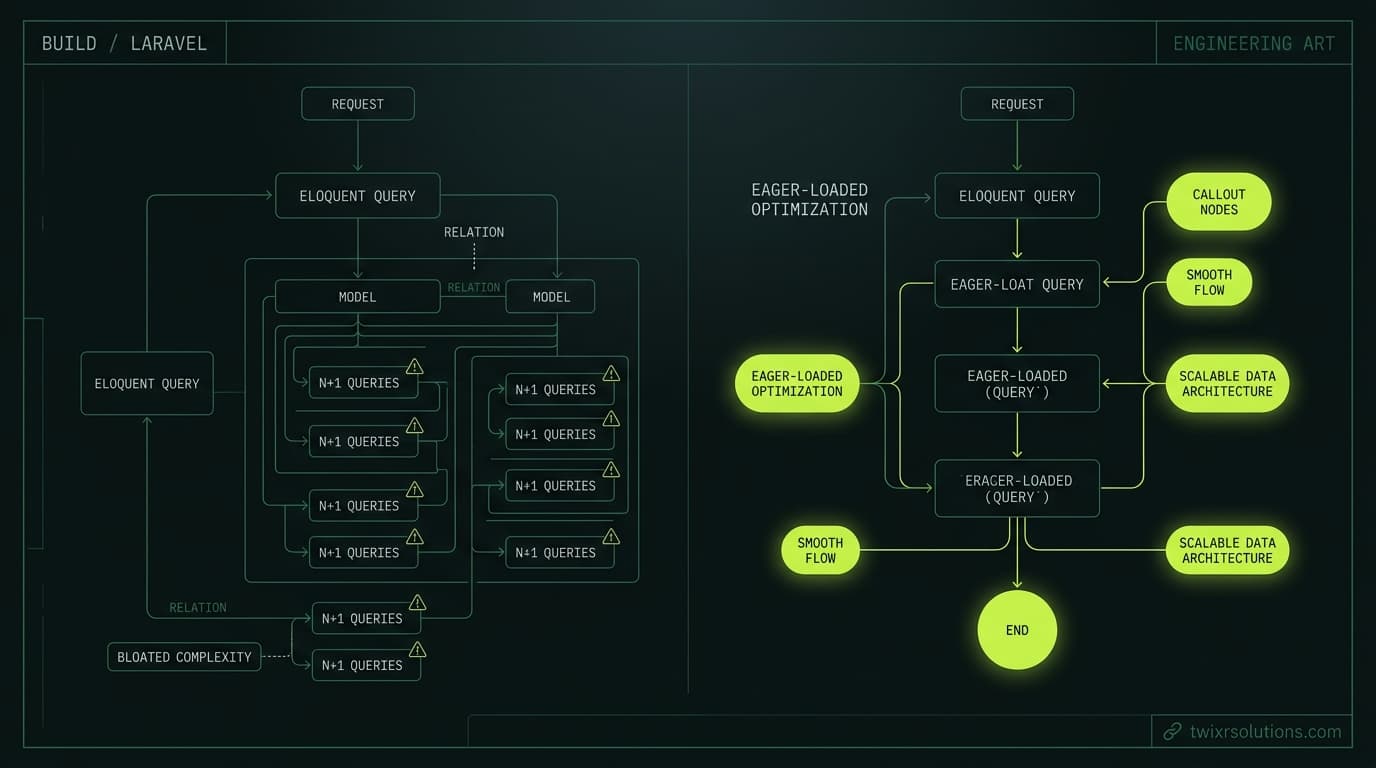
The broader point is about confidence. Slow queries in a SaaS app compound in the same way N+1 problems do - each one is ignorable until the first customer notices. If you have looked at query performance from the ORM layer and the numbers look fine there, but something still feels slow, the heap is the next place to look. The problem there is not visible in EXPLAIN ANALYZE output unless you are reading heap fetches on index-only scans, which will rise sharply when bloat is high and the visibility map has many dirty pages.
That last point - heap fetches going up on index-only scans - is how bloat first makes itself visible in query plans, long before slow sequential scans appear. It is the early warning, and most engineers miss it because they are watching query duration rather than scan mechanics. If EXPLAIN (ANALYZE, BUFFERS) on a frequently run query shows a high Heap Fetches count relative to Index Only Scans, dead tuples have already dirtied enough of the visibility map to force the planner to visit the heap. At that point, vacuum is overdue, not approaching.
The same discipline - watch the actual numbers in the catalog, not just application-level latency - applies to anything that accumulates silently in a production database. Bloat is the most common example, but it is not the only one. Catching it from the catalog is faster and cheaper than diagnosing it from slow query logs after the fact.
For a different flavor of silent accumulation in the application layer, Overusing with() and Missing the Real N+1 in Laravel covers how query counts grow invisibly in Laravel before they show up in response times. The pattern is structurally similar - something accumulates below the level where you are watching.
Enjoyed this article?
Get notified when I publish new posts on SaaS, Laravel, and remote engineering.