For years my biggest problem on Upwork wasn't writing good proposals. It was timing.
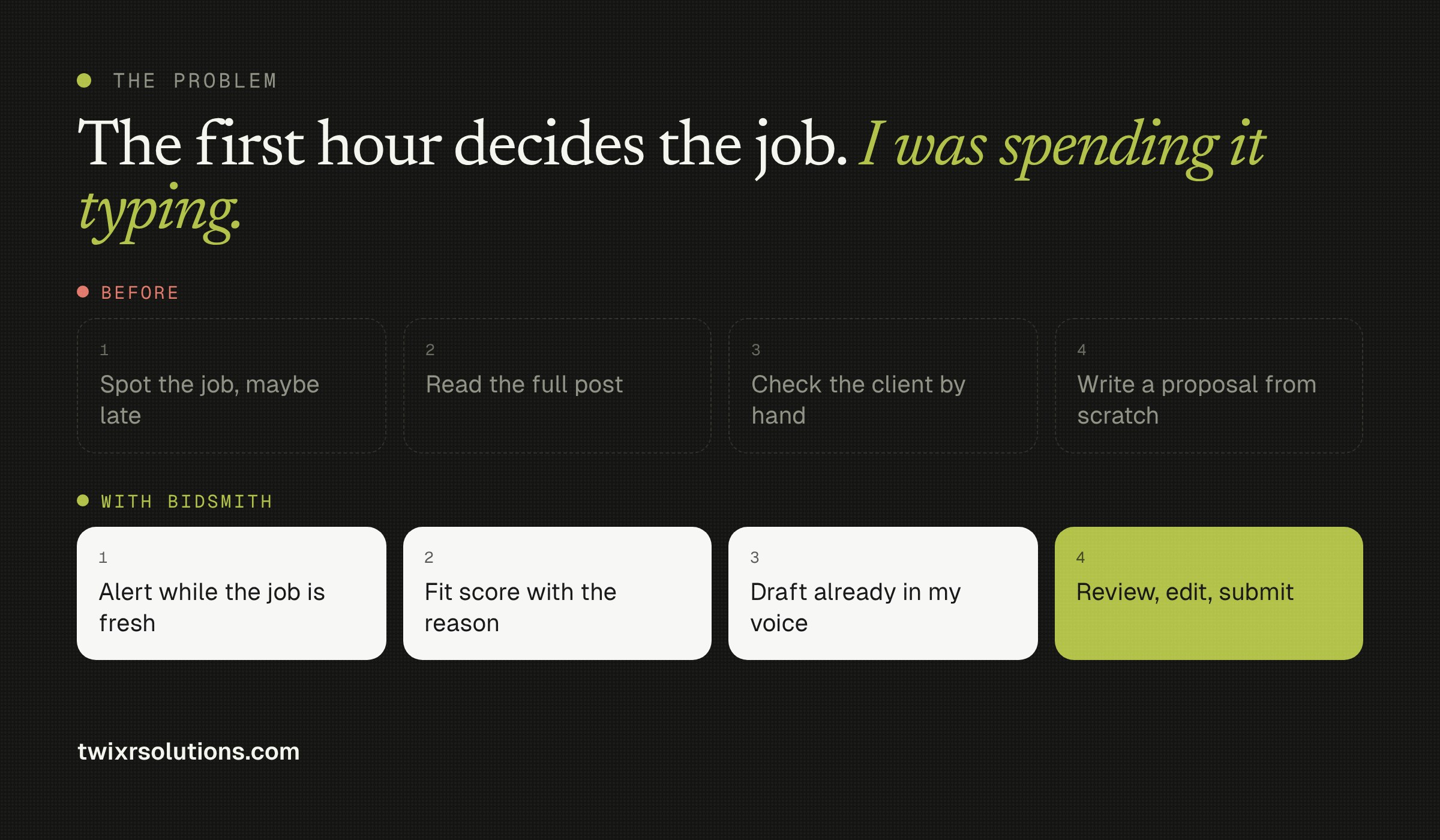
The first hour after a job goes live decides most of what happens next. Clients read the early proposals, shortlist a few, and the rest barely get opened. I was spending that hour reading job posts, checking whether the client actually hires, and writing a proposal from scratch. By the time I applied, there were often 30 people ahead of me.
So I built a tool to fix it. It's called Bidsmith, and this post is the first of a series where I share how it works, how it's built, and where it goes next.
1. The problem: the first hour decides the job
Every freelancer who bids seriously knows the routine:
-
Spot a new job, often later than you'd like
-
Read the whole post to see if it actually fits
-
Check the client by hand: payment verified, spend history, how often they hire
-
Write a proposal that sounds like you, not like a template
Each step is reasonable on its own. Together they cost the one thing that matters most on Upwork: being early. And because it's tiring, it's easy to spend Connects on jobs you were never going to win.
2. What I built
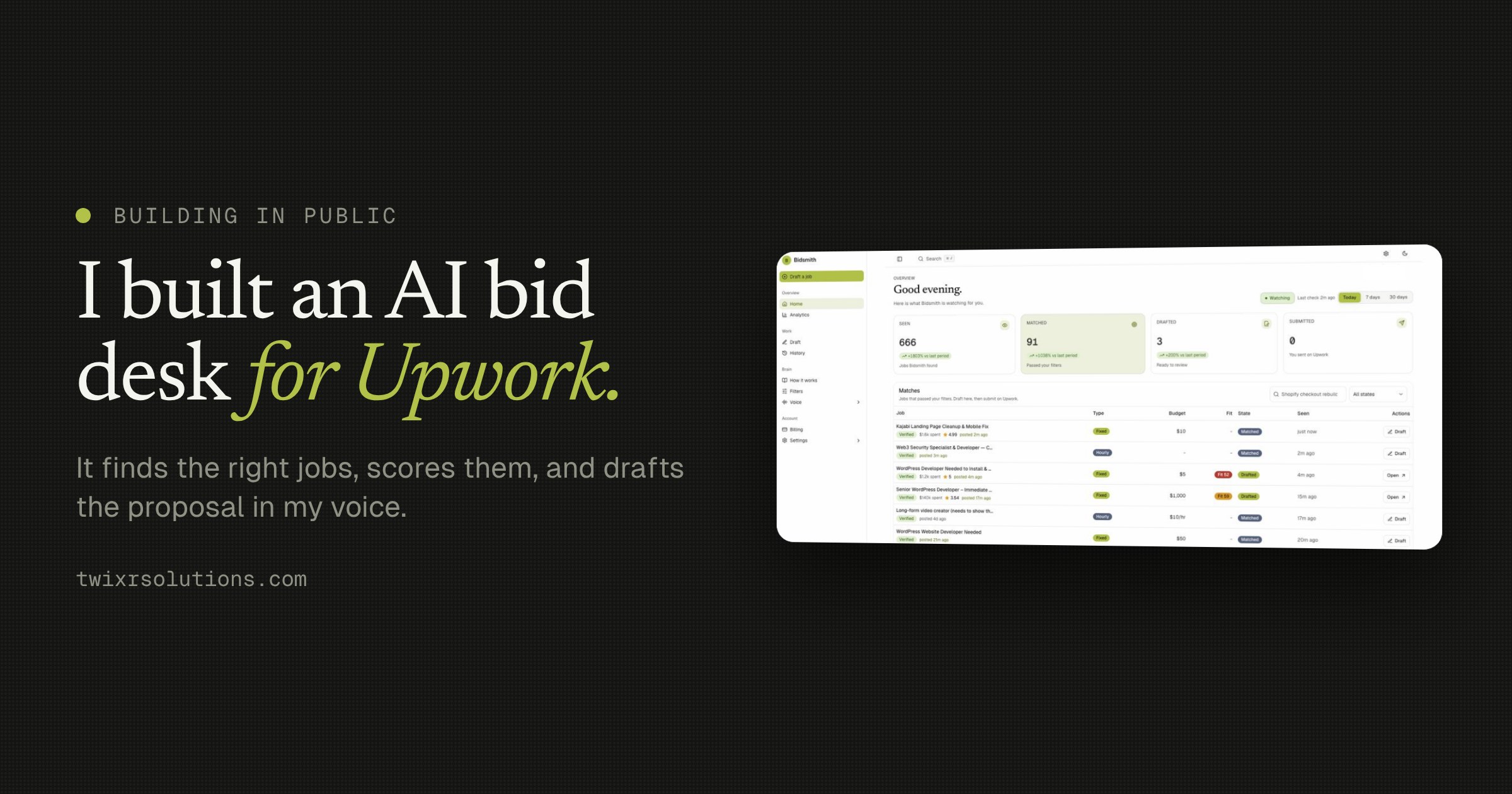
Bidsmith is an AI proposal assistant for Upwork freelancers. It watches for new jobs, decides which ones are worth my time, and has a proposal ready in my own voice before I even open the job.
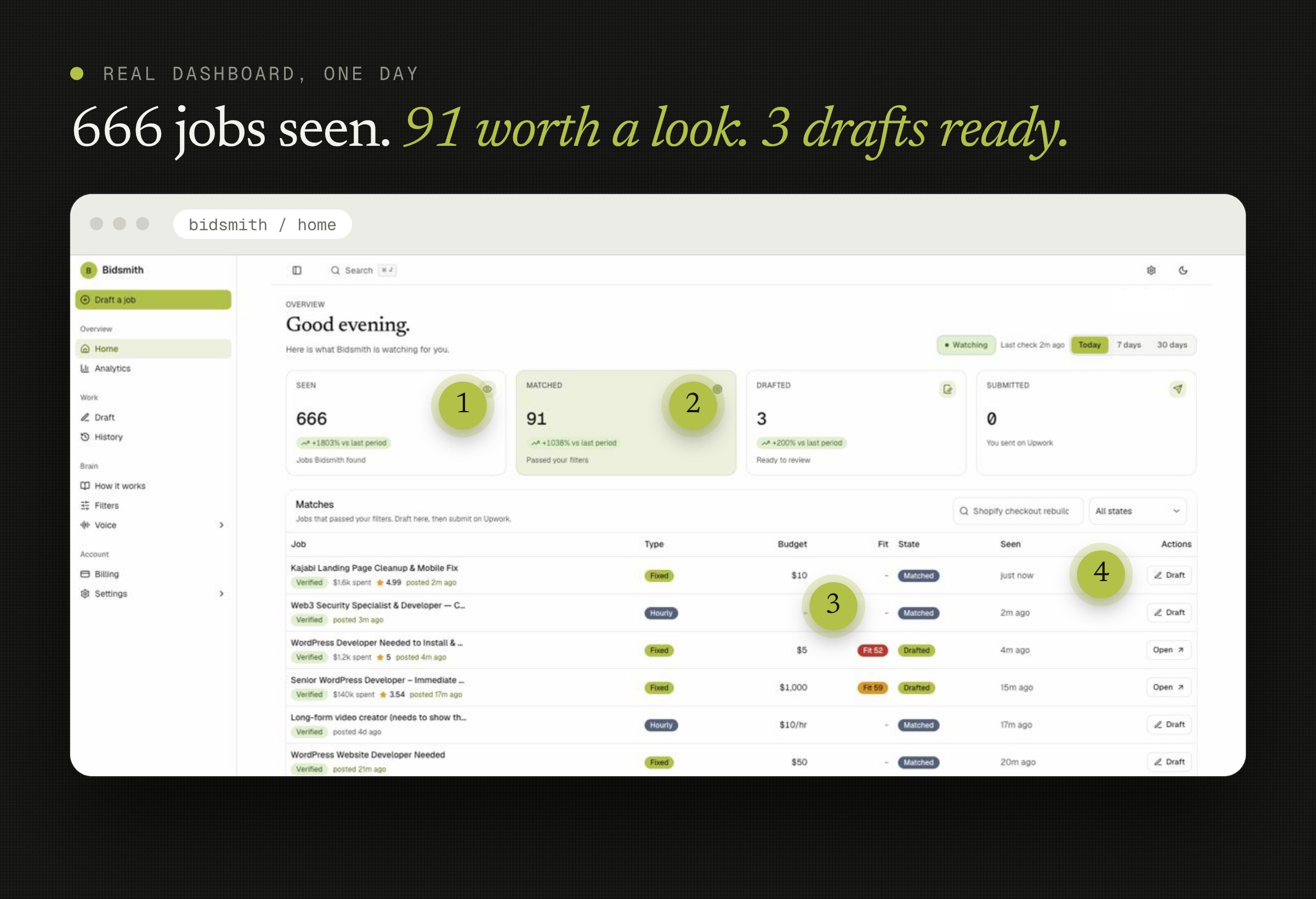
Here's one real day on my dashboard: 666 new jobs seen, 91 that passed my rules, and 3 proposals drafted and waiting for my review. I didn't have to read 666 job posts to get there.
3. How it works, step by step
-
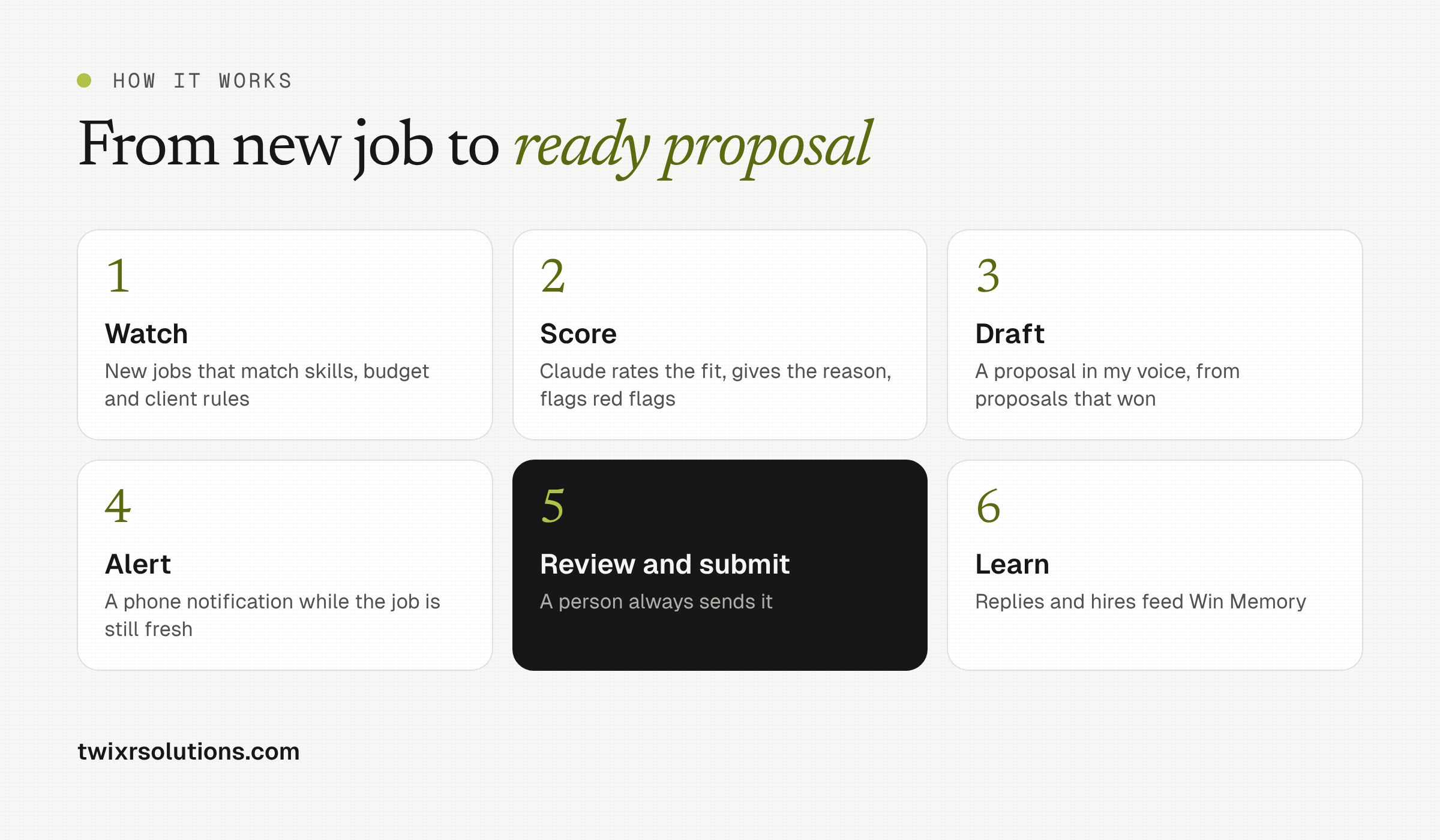
Watch. Bidsmith checks for new jobs that match my rules: skills, budget range and client quality.
-
Score. Claude rates each job for fit and explains why in one line. It also flags red flags such as a low hire rate, a budget that's too thin for the scope, or a post that already has too many proposals.
-
Draft. For the jobs worth bidding on, it writes a proposal in my voice, using my profile and the proposals that actually won me work. Screening questions get answered in the same voice.
-
Alert. My phone gets a notification while the job is still fresh, so I can be among the first five applicants.
-
Review and submit. I read the draft, tweak a line or two, and submit. A person always sends the proposal.
-
Learn. When a client replies, interviews or hires, that outcome feeds back into future scoring and drafting. I call this Win Memory.
4. What happens behind the scenes
I build SaaS products for clients, so I built Bidsmith the same way I'd build theirs: for many users from day one, not as a script on my laptop.
-
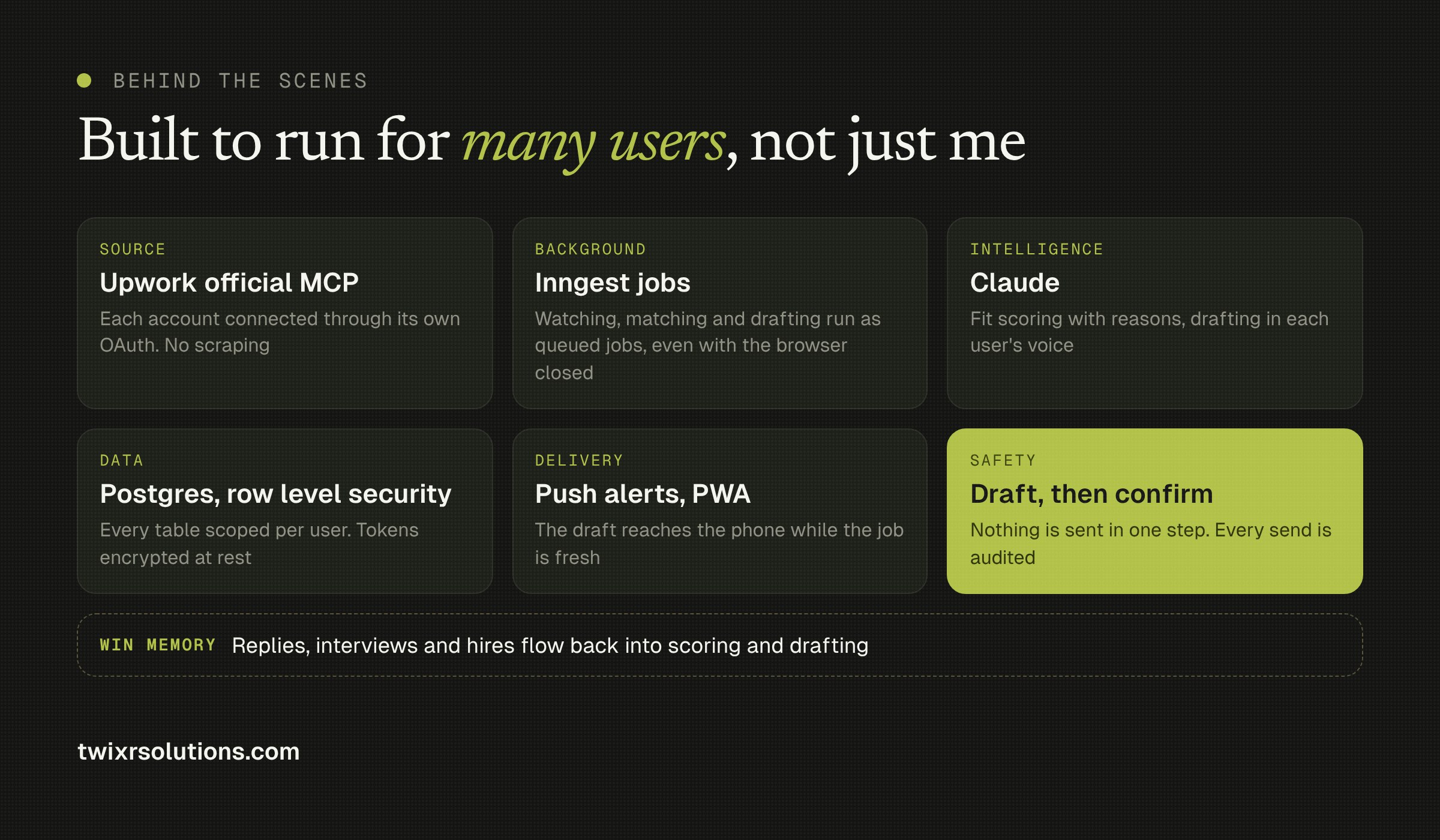
Upwork's official MCP server. Jobs and profile data come through Upwork's own MCP connection, authorized per account with OAuth. No scraping.
-
Background jobs with Inngest. Watching, matching and drafting run as queued jobs on the server, so it keeps working with the browser closed.
-
Claude for the thinking. Fit scoring with reasons, and drafting in each user's own voice.
-
Postgres with row level security. Every table is scoped to its user, and connection tokens are encrypted at rest.
-
Push alerts as a PWA. The draft reaches the phone without an app store install.
-
Draft first, confirm second. Nothing is ever sent in one step. Creating a proposal and sending it are two separate calls, with checks and an audit trail in between.
5. Built to scale
Each user has their own connection, filters, voice and memory. Because the heavy work runs as queued background jobs, adding more users means adding more workers, not rewriting the system. The same patterns (per-user OAuth, an encrypted token vault, tenant-scoped data and a hard split between drafting and doing) are what I use for any AI agent that acts on someone's behalf.
6. Where it goes next: a SaaS for freelancers
Right now Bidsmith runs for my own bidding. The bigger goal is to turn it into a product for the freelancer community, so everyone gets the same head start, not just me.
Upwork's API terms limit account-connected tools to personal and internal use, so the public version will work differently: it won't need access to your Upwork account, and you will always stay in control of what gets sent. I'll share exactly how that works, and how I plan to price it, in the next posts.
You can see what's live so far at app.twixrsolutions.com.
7. Want to be part of it?
If you freelance on Upwork, run an agency that bids every day, or build AI agents yourself, I'd like to hear from you. Tell me what would make you trust a tool like this, or which part would save you the most time. Get in touch and I'll keep you posted as it opens up.
Frequently asked questions
Bidsmith is an AI proposal assistant for Upwork freelancers. It watches for new jobs that match your rules, scores each one for fit with the reason and the red flags, and drafts a proposal in your own voice so you can review it and submit while the job is still fresh.
No. Drafting and sending are separate steps, and a person reviews and submits every proposal.
Not yet. It currently runs for my own bidding. A public version for the freelancer community is in the works, and it will not need access to your Upwork account. Get in touch to hear when it opens.
Enjoyed this article?
Get notified when I publish new posts on SaaS, Laravel, and remote engineering.